



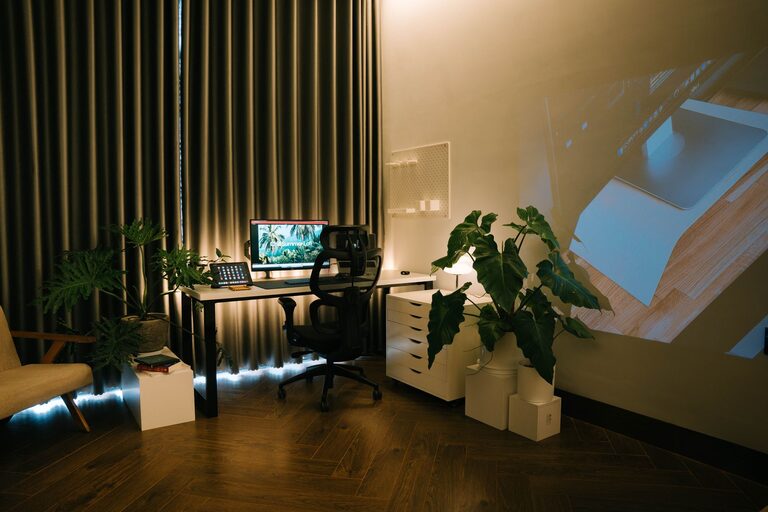
Creating a cozy and functional home workspace is essential for staying productive and comfortable when working remotely or managing tasks at home. Whether you have a dedicated room or just a corner in your living area, designing a workspace that balances comfort and practicality can make a big difference in your daily routine. Here are some helpful tips to get you started.
Choose the Right Location
Finding the ideal spot for your workspace is the first step. Consider a place that’s quiet and has minimal distractions. If possible, select a space near a window to benefit from natural light and fresh air, which can improve focus and mood.
Tips for Location Selection
– Avoid high-traffic areas to reduce noise.
– Ensure there is enough space for your desk and chair.
– Think about proximity to power outlets for your electronics.
Invest in Ergonomic Furniture
Comfort matters when you spend long hours working. An ergonomic chair and desk setup will support good posture and reduce the risk of back or neck pain.
What to Look for in Ergonomic Furniture
– Adjustable chair with lumbar support.
– Desk at a comfortable height that allows your elbows to rest at a 90-degree angle.
– Keyboard and mouse positioned to avoid strain.
Personalize Your Space with Cozy Touches
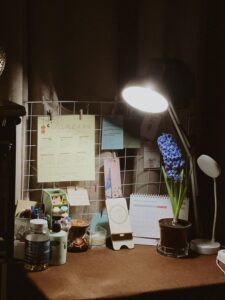
Adding personal touches can make your workspace feel inviting and enjoyable to spend time in. This helps reduce stress and keeps motivation high.
Cozy Additions to Consider
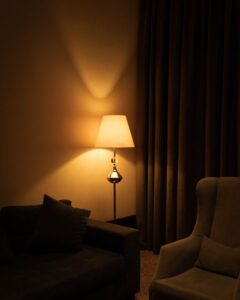
– Soft cushions or a throw blanket for extra comfort.
– Warm lighting options like desk lamps with adjustable brightness.
– Small plants to bring in a bit of nature and improve air quality.
Organize Efficiently to Reduce Clutter
A clutter-free workspace boosts productivity and mental clarity. Use organizers and storage solutions to keep things tidy and within reach.
Organization Tips
– Use desk organizers, drawer dividers, or shelves.
– Keep only essential items on your desk to prevent distractions.
– Regularly declutter to maintain a clean environment.
Optimize Lighting for Comfort and Focus
Lighting greatly affects how well you work and how your space feels. Too much glare or dim light can cause eye strain.
Lighting Guidelines
– Combine natural light with adjustable artificial lighting.
– Position your computer screen to avoid reflections.
– Use task lighting for detailed work.
Incorporate Technology Thoughtfully
Technology is a cornerstone of any home workspace, but it should work for you, not against you. Set up your devices to promote efficiency without overwhelm.
Tech Tips
– Use cable management solutions to keep wires organized.
– Invest in quality headphones or speakers for calls and focus.
– Consider a second monitor if your work involves multitasking.
Take Breaks and Move Around
Even the best workspace won’t prevent fatigue if you stay in one position too long. Schedule regular breaks to stretch and refresh your mind.
Simple Break Ideas
– Stand and stretch every hour.
– Take short walks around your home.
– Use a timer to remind yourself to rest your eyes.
Make Your Workspace Multi-Functional
If space is limited, design your area to serve multiple purposes while still functional for work.
Multi-Functional Design Tips
– Use a foldable desk or wall-mounted table.
– Choose storage furniture that doubles as seating.
– Incorporate versatile lighting that works for work and relaxation.
Maintain a Routine and Keep It Inviting
Finally, treat your workspace as a special place dedicated to getting things done. Keeping this routine will help you switch into work mode and stay productive.
Routine Reminders
– Start your day by tidying your desk.
– Personalize your workspace weekly to keep it fresh.
– End your day by turning off work-related devices.
—
Creating a cozy and functional home workspace doesn’t require a big budget or a lot of space. With thoughtful choices in location, furniture, lighting, and organization, you can build a work environment that feels good and supports your goals. Take the time to customize your space; it’s a small investment that pays off in comfort, focus, and productivity.

More Stories